Wide-format printers are powerful tools for producing banners, signage, vehicle wraps, and other large graphics. But like any complex piece of equipment, they can occasionally experience issues that affect print quality or productivity.
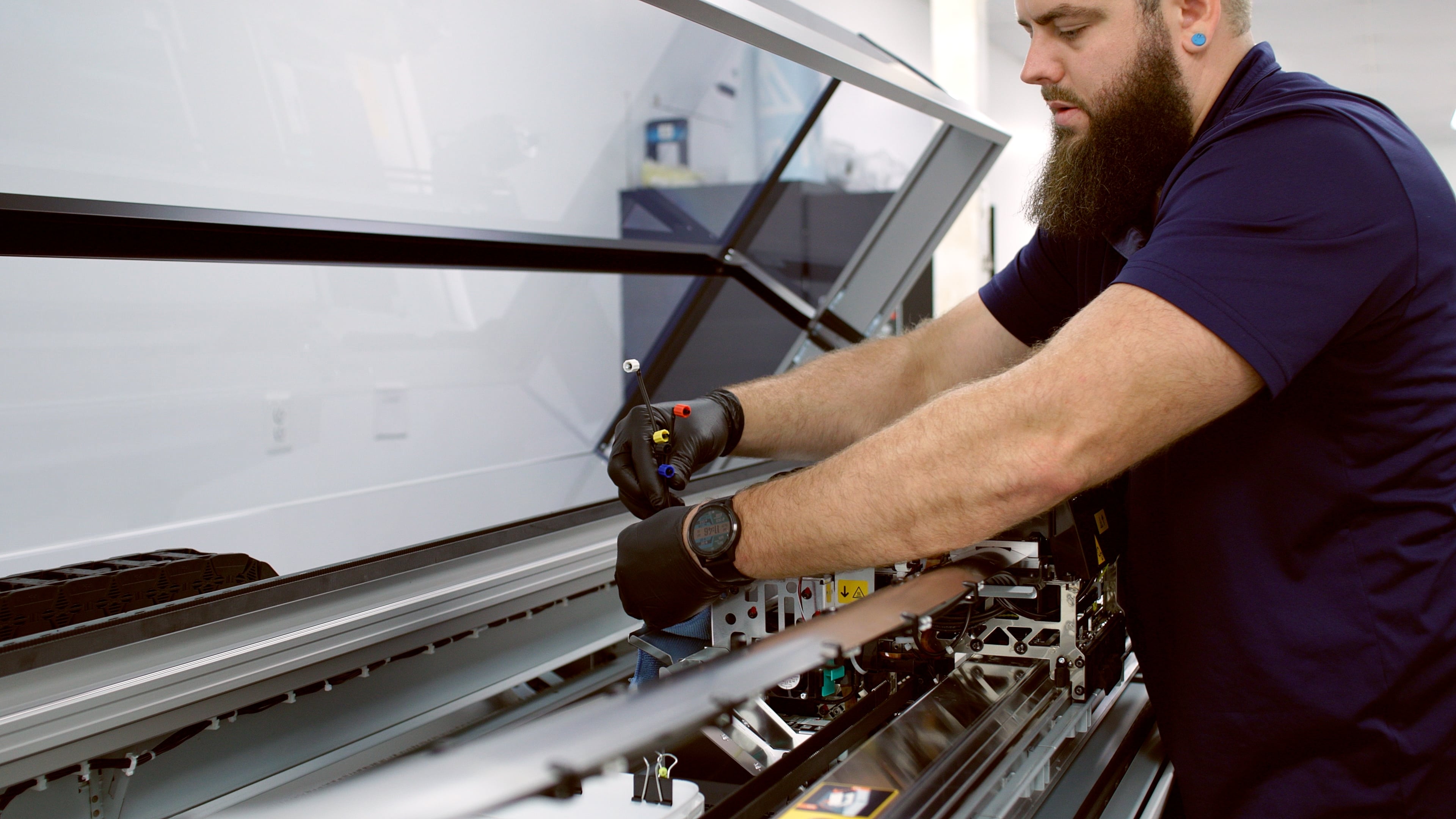
Understanding the most common problems and how to address them can help minimize downtime and keep your large-format printing operation running smoothly. For more complex concerns, working with experienced service technicians or a reliable repair service ensures long-term performance.
Below are some of the most frequent large-format printer issues and practical solutions to resolve them.
1. Banding or Lines in Prints
One of the most common issues in large-format printing is banding, which appears as horizontal or vertical lines across the print.
Possible Causes
Banding occurs when ink layers are uneven or when certain nozzles fail to deposit ink correctly, directly impacting overall print quality.
How to Fix It
-
Run a nozzle check to identify clogged nozzles
-
Perform a printhead cleaning cycle
-
Adjust printhead alignment settings
-
Verify the correct media profile and print settings
Regular preventative maintenance is often the easiest way to prevent banding before it becomes a recurring issue.
2. Clogged Printheads
Printheads can clog when ink dries inside the nozzles, particularly if the printer sits idle for long periods or operates in environments with high humidity or inconsistent conditions.
Symptoms
-
Streaks or incomplete lines
-
Faded sections of an image
-
Color does not match the target file
Fixes
-
Use the printer’s built-in maintenance utilities
-
Manually clean printhead (model dependent)
-
Print regularly to keep ink flowing
Double-check environmental conditions and humidity levels. Routine cleaning can often restore normal operation quickly, but persistent issues may require assistance from trained, certified professionals.
3. Color Inconsistencies
Color accuracy is critical for signage, branding, and marketing materials. When prints appear dull, shifted, or inconsistent, several factors may be responsible.
Common Causes
Solutions
-
Use a color calibrated monitor for file viewing
-
Recalibrate the printer using a spectrophotometer or color management system
-
Ensure artwork files have the proper embedded color space they were originally captured/developed with. (i.e., Adobe RGB 1998 - RGB or SWOP Coated 2006- CMYK)
-
Do not use outdated inks, replace with fresh OEM ink
-
Use materials designed for your printer model
-
Clean printheads
Consistent color management is essential for maintaining high quality output.
4. Media Feeding Problems
Wide-format printers rely on precise media feeding systems to ensure images print correctly. When the material feeds unevenly, prints may appear distorted or misaligned.
Signs of Feeding Issues
How to Fix It
-
Check that media rolls are loaded correctly
-
Verify the printer settings match the media type
-
Inspect feed rollers for dust or debris
-
Ensure the media path is clear
-
Run Auto or Manual feed adjustments outlined in the printers documentation
Proper setup and routine checks can prevent many of these issues and reduce the need for external repair service.
5. Poor Image Resolution
Low-quality prints are sometimes caused by improper file preparation rather than printer hardware issues.
Causes
-
Low-resolution images
-
Incorrect scaling
-
File compression
For large graphics, images should typically be 300 DPI or vector-based to maintain clarity at large sizes.
Fixes
-
Use high-resolution files or vector graphics
-
Avoid excessive compression
-
Verify the correct print settings before production
Taking time to check artwork before printing helps ensure consistent, high quality results.
6. Ink Smudging or Drying Problems
Ink that doesn’t dry properly can smear during printing or finishing.
Possible Causes
Solutions
-
Use compatible materials recommended for your printer
-
Adjust ink density settings
-
Ensure proper drying or curing conditions
Matching media with the correct ink technology is critical for reliable results in large-format printing.
Preventive Wide-Format Printer Maintenance Tips
The best way to avoid major printer issues is through regular preventative maintenance.
Helpful maintenance practices include:
-
Running scheduled cleaning cycles
-
Keeping the printer in a controlled environment
-
Using high-quality wide-format printer inks and materials
-
Updating firmware and software
-
Performing routine calibration
Many printer problems can be prevented simply by following the manufacturer's maintenance guidelines.
When to Contact a Professional Technician
While many issues can be resolved through routine troubleshooting, some problems require professional repair.
You should consider contacting a technician if:
-
Printheads are unable to recover and run properly
-
Error Codes or Mechanical hardware failures
-
Persistent reoccurring problems despite troubleshooting
-
Irregular noises or sounds coming from the printer
In these cases, experienced service technicians can diagnose and resolve issues efficiently.
Final Thoughts
Wide format printers are designed for demanding production environments, but occasional issues are inevitable. The good news is that many common problems, such as banding, clogged printheads, or media feeding errors, can be resolved quickly with proper troubleshooting.
If issues persist beyond routine troubleshooting, working with an experienced wide-format service provider or trusted partner can help ensure your printer is properly diagnosed and restored to optimal performance.
For trusted expertise, supplies, and support in wide-format printing, LexJet offers the knowledge and resources to help keep your equipment running efficiently and your output consistent. Contact us today at 800-453-9538 to connect with a Customer Specialist or visit LexJet's Knowledge Center.
%20200-86.png?width=200&height=86&name=LexJet_PNG%20(1)%20200-86.png "LexJet")





.jpg)


Post a comment