A print shop can have the right printers, materials, and people in place, but production can still slow down when jobs reach the finishing stage.
Switching between materials, preparing repeat orders, and adjusting cutting settings all take time. As job volume increases, those extra steps can become harder to manage.
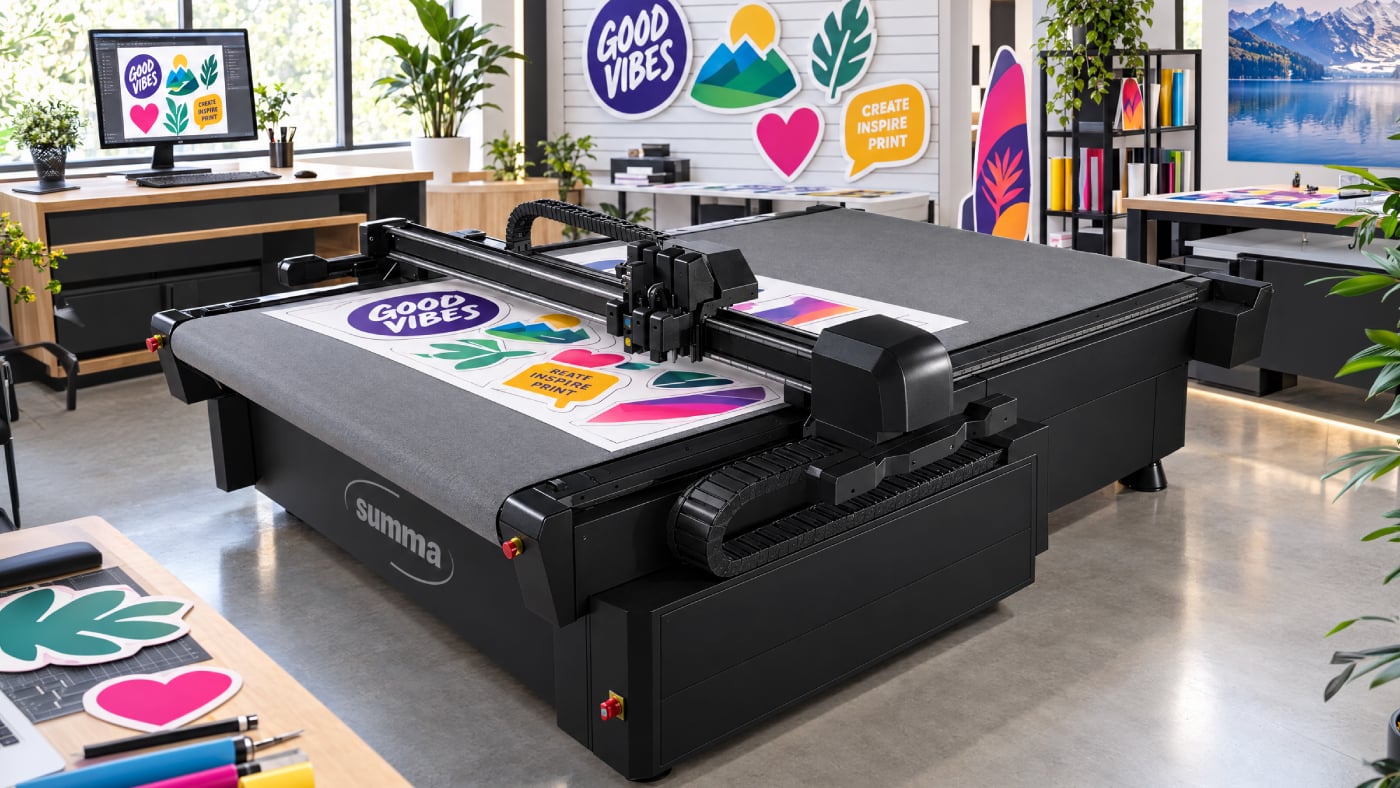
The Summa F1625 Vantage combines versatile cutting capabilities with workflow software designed to simplify setup, manage repeat jobs, and keep production moving.
When Finishing Becomes the Bottleneck
Consider a shop producing retail displays, signage, decals, and rigid graphics. A typical day might include contour cutting adhesive vinyl, cutting display boards, and preparing another job with different material requirements.
Each project requires the right tools, settings, and cutting instructions. When operators repeatedly manage these details between jobs, preparation time can add up.
A more consistent workflow helps reduce those extra steps.
Make Repeat Jobs Easier to Manage
One way to simplify finishing is to reduce how often operators need to repeat the same setup steps. Summa's GoProduce software, included with the F1625 Vantage, provides tools for managing print-and-cut workflows.
Its Action Sets allow operators to automate task sequences, making it easier to apply established processes to recurring jobs.
The software also includes a material database for organizing cutting settings. Rather than relying entirely on memory or manually recreating settings, operators can work from saved configurations appropriate to the material and application.
Keep Jobs Moving Through Production
A busy finishing department needs more than organized settings. Operators also need a reliable way to connect printed graphics with the correct cutting information.
GoProduce supports barcode-based job identification, allowing the software to retrieve the corresponding cut data.
For operations looking to extend automation, the optional GoProduce ProPack license adds POSTNET barcode automation and additional workflow capabilities.
This can be particularly useful for shops processing multiple jobs or working toward a more automated finishing environment.
Build Around the Equipment You Already Have
The F1625 Vantage supports integration with existing production environments through two additional software solutions: GoConnect and GoData.
GoConnect: Connect finishing to the production floor
GoConnect allows the F1625 Vantage to communicate with compatible third-party equipment, including automated feeders and control devices such as pedals. This gives shops more flexibility when building an automated finishing workflow around their existing equipment.
GoData: See what's happening in production
GoData provides real-time visibility into cutter performance, including machine activity, uptime, and job progress. Operators and production managers can view this information through a dashboard or access it through an open API for use with external reporting and monitoring tools.
For a busy print shop, that means better insight into equipment utilization and where production capacity may need attention.
One Table. More Ways to Work.
The F1625 Vantage supports a broad selection of cutting tools and modules for applications including contour cutting, creasing, oscillating cutting, and routing.
This flexibility allows shops to handle everything from adhesive graphics and rigid signage to more complex display applications while managing production through a consistent workflow.
Take a Closer Look at Your Finishing Process
Before investing in or upgrading finishing equipment, consider where your team spends the most time.
Are operators repeatedly setting up similar jobs? Do material changes interrupt production? Is it difficult to track work as it moves from printing to cutting? Could better integration simplify the handoff between departments?
To learn more about the Summa F1625 Vantage and its workflow capabilities, contact a LexJet Customer Specialist at 800-453-9538 or visit LexJet.com.
Section 179 Reminder
Planning an equipment investment? Don’t wait until the end of the year.
Qualifying equipment must be placed in service by December 31, 2026, to be eligible for the Section 179 deduction. With Q4 demand and shipping timelines, now is the time to start planning. Consult your tax advisor to determine eligibility and potential savings.
%20200-86.png?width=200&height=86&name=LexJet_PNG%20(1)%20200-86.png "LexJet")


.png)
Post a comment