%20200-86.png?width=200&height=86&name=LexJet_PNG%20(1)%20200-86.png "LexJet")
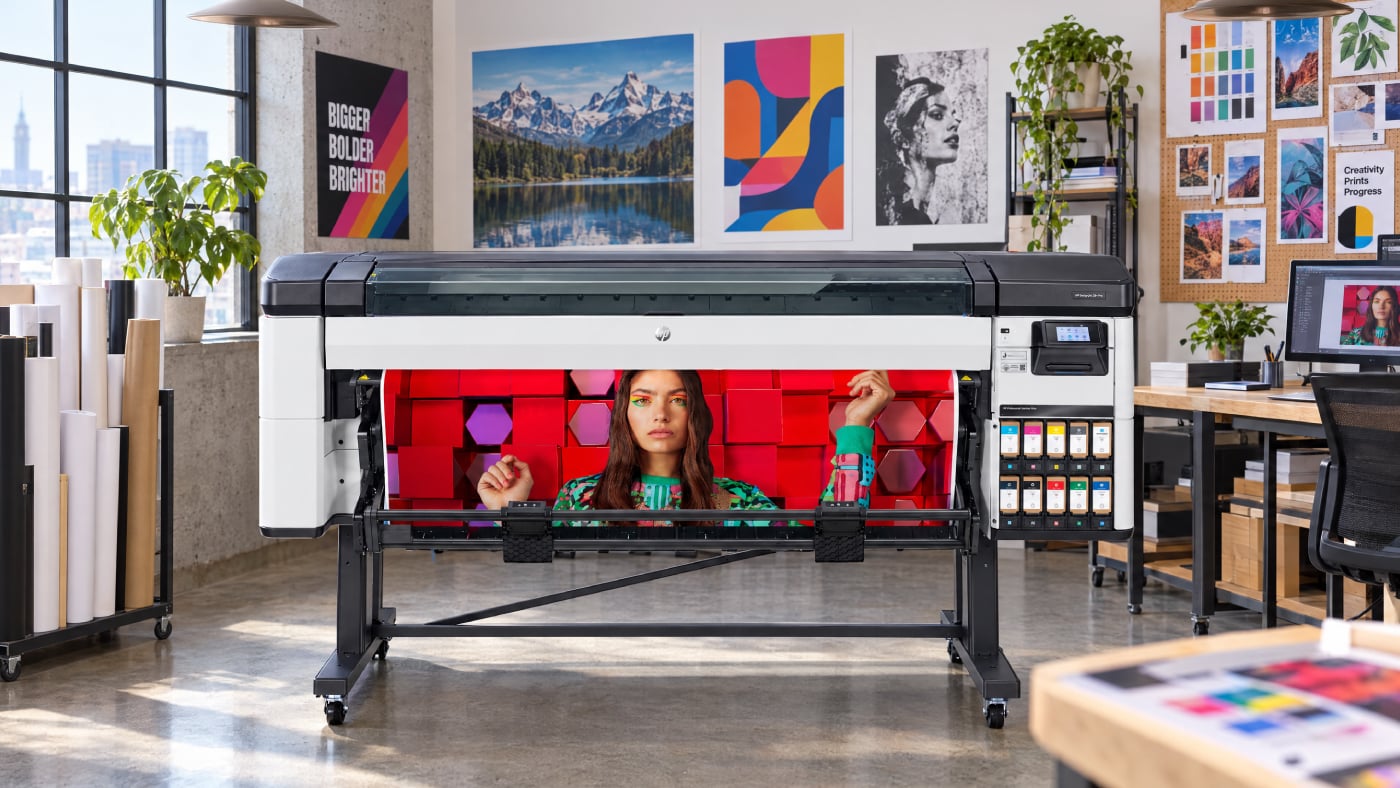
A production printer has to do more than produce a great print. In a busy environment, different users may be sending different types of jobs throughout the day. Deadlines overlap. Media changes. And when the printer needs attention, the team needs to get it back into production without creating unnecessary delays.
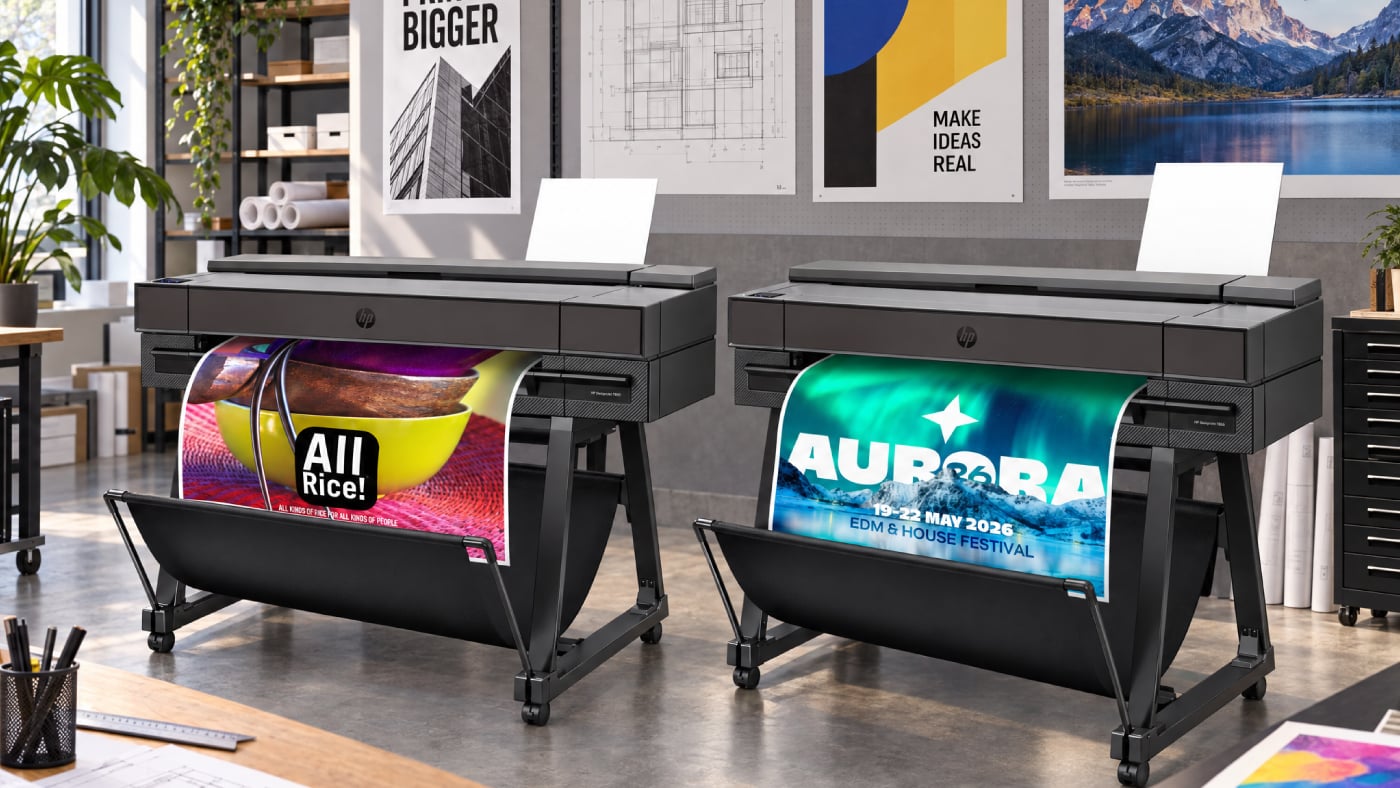
The HP DesignJet Z-Series combines professional image quality with features designed around the realities of everyday production- from consistent output across applications to straightforward maintenance and media handling.
What Should You Look for in a Production Printer?
Image quality matters, but so does everything that happens between one finished print and the next.
For teams that depend on wide-format printing every day, it's worth looking beyond resolution and asking:
- Can different users work with the printer comfortably?
- Can it handle the range of applications we produce?
- How much attention does routine maintenance require?
- Can common maintenance needs be handled by our team?
- Does the workflow make it easy to move from one job to another?
These considerations become even more important when one printer supports multiple people, applications, and deadlines.
Make Everyday Maintenance More Manageable
Routine maintenance is part of owning any production printer. The question is how much it interrupts the work around it.
On the HP DesignJet Z6 Pro and Z9+ Pro, printheads are automatically tested at regular intervals and serviced when necessary. If a printhead eventually needs replacement, the operator can replace it directly from the front of the printer.
That gives teams more ability to handle routine printer needs internally and get back to the work that needs to be produced.
Move Between Applications Without Limiting the Printer to One Role
Real-world production rarely means printing the same thing all day.
Depending on the model, HP DesignJet Z-Series printers support media including photographic and fine art materials, self-adhesive media, banner and sign materials, coated papers, and backlit media.
That flexibility can make the printer useful across different departments, customers, and projects rather than reserving it for a single type of output.
Which HP DesignJet Z-Series Printer Fits Your Work?
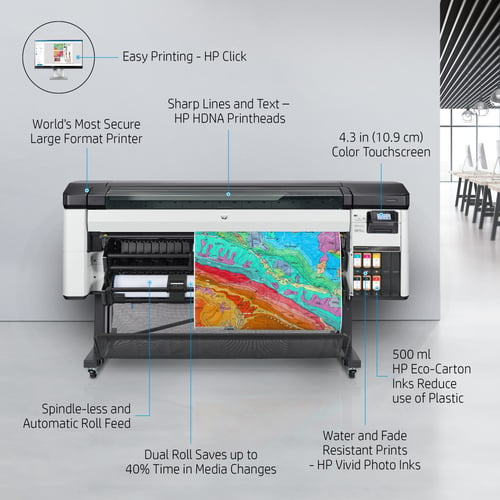
The HP DesignJet Z6 Pro and Z9+ Pro are both 64-inch printers and share many production capabilities, but they're designed to meet different priorities.
The Z6 Pro uses a six-color pigment ink system and is a strong fit when precision, detailed graphics, maps, posters, signage, and general production work are central to the workflow.
The Z9+ Pro steps further into color-critical photographic and fine art work with nine pigment inks, including chromatic red, green, and blue, plus gray. It also includes an embedded spectrophotometer for color calibration and profiling and offers an optional Gloss Enhancer.
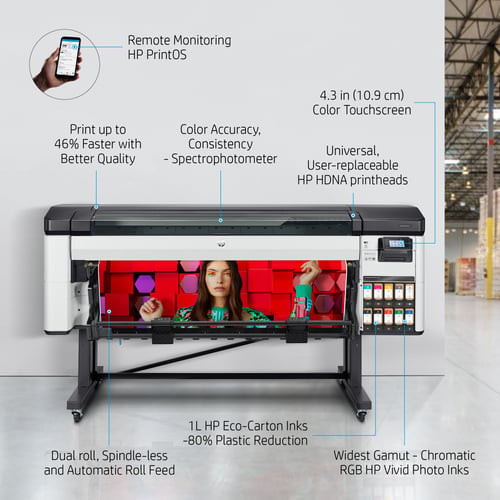
The difference comes down to what your workflow demands: the Z6 Pro is well-suited to workflows centered on precision and versatile graphics production, while the Z9+ Pro adds expanded color capabilities for professional photographic and fine art output.
What Does Dependable Production Really Mean?
It's easy to define printer performance by specifications. In practice, dependable production is also about what happens on an ordinary Tuesday when several jobs need to get out the door.
Can your team produce the quality the job requires? Can the printer support different applications as priorities change? Can routine maintenance be handled without unnecessarily complicating the day?
That's the environment the HP DesignJet Z-Series is designed to support: professional-quality output backed by a platform built for everyday production.
To learn more about the HP DesignJet Z-Series and find the right solution for your workflow, contact a Customer Specialist at 800-453-9538 or visit LexJet.com.

Liliana Wright
Drawing on her background as a print business owner, Liliana combines creative expertise with real-world printing experience. At LexJet, she helps print professionals navigate challenges, optimize their workflows, and uncover new opportunities through innovative print technologies and media solutions.
Browse Posts

.png)
-1.jpg)
- October 2026
- September 2026
- August 2026
- July 2026
- June 2026
- May 2026
- April 2026
- March 2026
- February 2026
- January 2026
- December 2025
- November 2025
- October 2025
- September 2025
- August 2025
- July 2025
- June 2025
- May 2025
- April 2025
- March 2025
- February 2025
- January 2025
- December 2024
- November 2024
- October 2024
- September 2024
- August 2024
- July 2024
- June 2024
- May 2024
- April 2024
Post a comment