Print It, Gift It, Love It: Sublimation Magic for the Holidays!
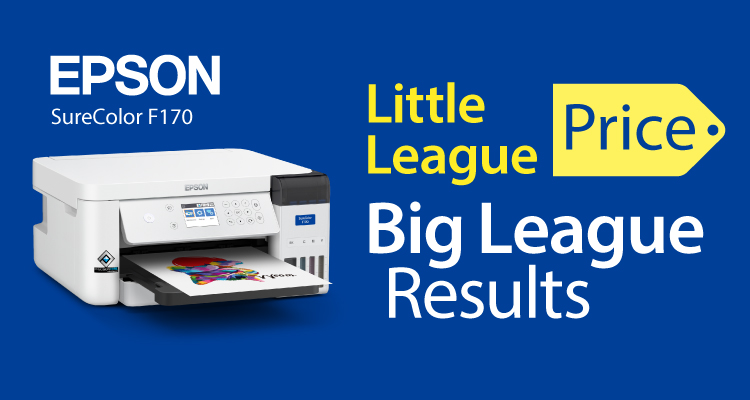
Have a passion for making gifts? Now’s the perfect time to give yourself the gift that keeps on giving all year long! Create personalized holiday and birthday gifts, corporate branding, and other unique promo products with the Epson SureColor® F170 Dye-Sublimation Printer. SureColor® F170 is the complete dye-sub print solution for high-quality results right from the start.
Imagination has no boundaries; neither should your designs. The Epson SureColor® F170 Sublimation Printer creates endless products like mugs, t-shirts, mousepads, magnets, ornaments, and so much more! Your creative designs come to life with excellent color saturation and high color contrast using powerful PrecisionCore® technology. Stand out from the competition’s lackluster designs with professional, colorful, and vibrant graphics!

The easy set-up is just the beginning as you whiz through your projects with this simple-to-use printer. Don’t have a lot of space? You’re in luck! This little guy is small and compact, so you can easily incorporate your new money-maker into any small workspace.
Limited-Time Ultimate Holiday Bundle Offer!
This holiday season, treat yourself or your loved ones to the ultimate gift of personalization! Our Ultimate Holiday Bundle is only $449 and includes:
- One Epson SureColor® F170 Dye-Sublimation Printer
- A set of genuine EPSON SureColor F170 inks
- 12 Sheets of EPSON DS Multi-Use Transfer Paper – 8.5in x 11in
As an ADDED BONUS, we are also giving away one FREE Unisub Kit, with a purchase of a bundle, with our most popular blanks for you to start sublimating right away- while supplies last!
Click here to order your Ultimate Holiday Bundle and get your FREE Unisub Kit!
Earn LexJet Edge Points! As you accumulate points, you can redeem them for discounts on future purchases. It’s that simple. Not a LexJet Edge Points member yet? Click here to start earning points today!

To learn more about our sublimation products, contact a LexJet Customer Specialist at 800-453-9538 or visit LexJet.com.